
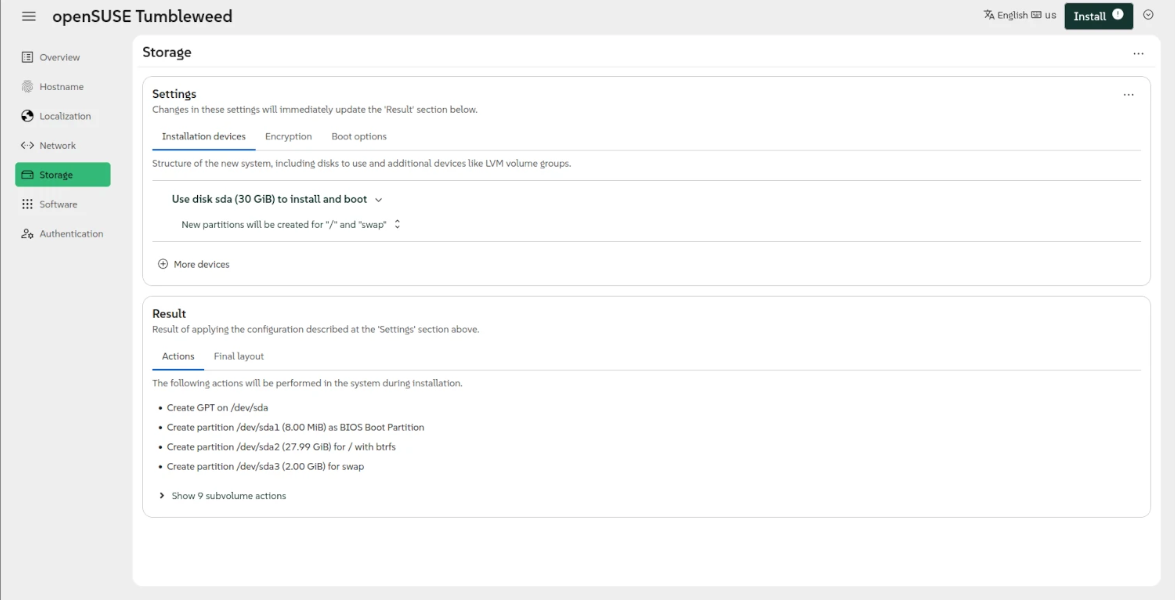
The openSUSE Project released today Agama 21 as the latest stable version of this web-based installer for openSUSE Tumbleweed, Slowroll, and MicroOS operating systems that introduces several new features, improvements, and bug fixes.
Highlights of Agama 21 include the ability to reuse existing LVM volume groups and logical volumes, support the systemd-boot bootloader to adhere to the UAPI Boot Loader Specification, and the ability to detect if you’re installing openSUSE Tumbleweed, openSUSE Slowroll, or openSUSE Leap 16.1 without a desktop environment.
Agama 21 also introduces support for explicitly setting the list of NTP (Network Time Protocol) sources like pools, servers, and peers using the JSON format to set the correct date and time, while a new “System” section will accommodate the configuration of both the hostname and the NTP sources.
On top of that, Agama 21 adds a completely redesigned page for creating and modifying network connections, the ability to disable remote access to the installer using the inst.remote=0 boot option, and a much-improved command-line interface with better tracking of the installation process and better visibility into what Agama is doing.
Check out the release notes for more details about the changes included in Agama 21. To use the Agama installer for installing openSUSE Tumbleweed, MicroOS, or Slowroll, you must download the Agama live ISO image, create a bootable medium on a flash drive, and boot from it. The standard live ISOs still use the old YaST installer.
Source: 9to5Linux
Highlights of Agama 21 include the ability to reuse existing LVM volume groups and logical volumes, support the systemd-boot bootloader to adhere to the UAPI Boot Loader Specification, and the ability to detect if you’re installing openSUSE Tumbleweed, openSUSE Slowroll, or openSUSE Leap 16.1 without a desktop environment.
Agama 21 also introduces support for explicitly setting the list of NTP (Network Time Protocol) sources like pools, servers, and peers using the JSON format to set the correct date and time, while a new “System” section will accommodate the configuration of both the hostname and the NTP sources.
“In order to establish secure network connections, the date and time must be aligned with the date and time of the other system and all the involved certificates. For network-based installations, in which secure connections may be needed already in order to fetch the installation media, that implies the NTP configuration must happen at a very early stage of the booting process. For that, the installation media now supports the special boot argument rd.ntp that allows to setup the NTP sources,” said openSUSE.
On top of that, Agama 21 adds a completely redesigned page for creating and modifying network connections, the ability to disable remote access to the installer using the inst.remote=0 boot option, and a much-improved command-line interface with better tracking of the installation process and better visibility into what Agama is doing.
Check out the release notes for more details about the changes included in Agama 21. To use the Agama installer for installing openSUSE Tumbleweed, MicroOS, or Slowroll, you must download the Agama live ISO image, create a bootable medium on a flash drive, and boot from it. The standard live ISOs still use the old YaST installer.
Source: 9to5Linux
No comments yet. Be the first to comment.